
Written on: Updated on:
I have updated the Apple iCal / Microsoft Exchange fix for Leopard with a bug fix and a few enhancements. Here are the release notes for this version:
- Fixed = iCal bug message saying "no data was added to iCal" thanks to Jon Milan.
- Added = London timezone support thanks to Ryan Hunt.
- Added = West Coast USA timezone support thanks to Ryan Hunt.
- Added = Tallinn timezone support thanks to Ryan Hunt.
- Added = Asia/Muscat timezone support thanks to Steve.
- Tests = Now confirmed to work on Leopard 10.5.1, 10.5.2, 10.5.3 and 10.5.4
- Tests = Now confirmed to work on all Apple computers.
Installing If you’ve never installed this fix before then please read the detailed installation instructions found over here. If you’re upgrading from a previous version please read the detailed upgrade notes below. Upgrading from version 1.1
- Delete the folder /Applications/iCalFix/ in Finder.

- Download this Upgrade Script to your computer and extract the contents from the ZIP file. The folder contains a Shell script (install.sh) which sets everything up for you.
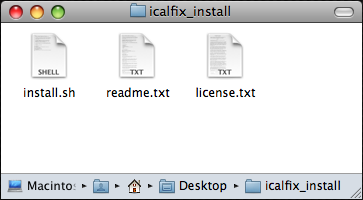
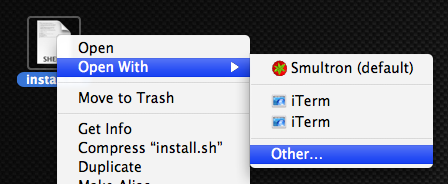
- Right-click on the install.sh file, select Open With and then click on Other.
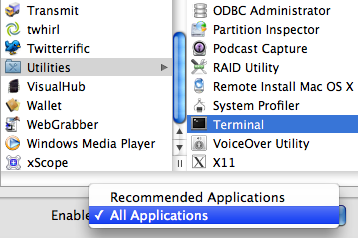
- Click on Applications –> Utilities –> Terminal. If you can’t select Terminal from the Open dialog then select All Applications from drop-down list below.
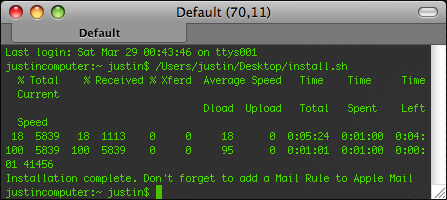
- Terminal will open up and the install script will run. When you see the message “Installation Complete.” you can close Terminal.
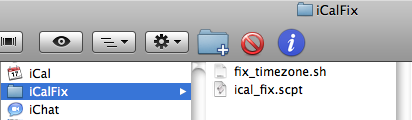
- You can now check if the bug fix was installed correctly by navigating to /Applications/iCalFix/ in Finder. If you see two files installed in that folder then installation was successful.
- Done. Sit back and enjoy.
Comments